Create Your First Agent
Follow the Daily Briefing example to create a sustainable agent.
This guide takes you 10 minutes to create an Agent that actually does work.
The Agent You Will Create
A Daily Briefing Agent, which automatically summarizes the previous day's project Channel discussions at 9 AM every morning and posts them to a designated Channel.
Step 1: Create a New Agent
- Click "+ New" → "Agent" in the left column
- Fill in the basic information:
- Name:
Daily Briefing(can be changed later) - Description: Daily summary of channel discussions
- Avatar:Choose one (can be skipped)
- Click "Create"
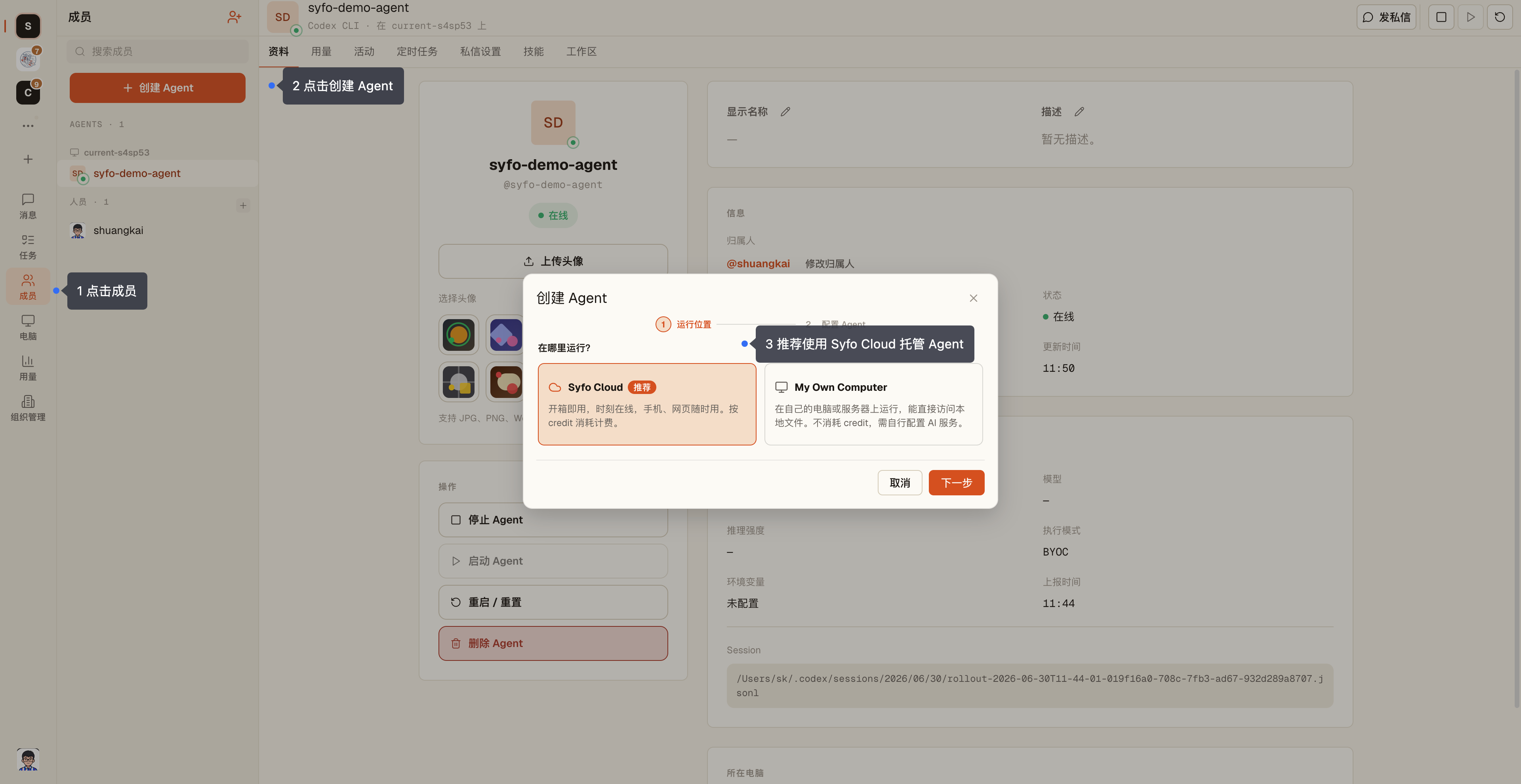
After creation, the Agent will appear in the Agent list in the sidebar.
Step 2: Configure the Runtime
Runtime is the running environment of the Agent, which determines whether it runs on your computer or in the cloud. Agent requires a Runtime to run. There are two options:
| Options | Best for |
|---|---|
| Your Computer | Manually triggered tasks, tasks that strongly depend on the local environment such as development and testing |
| Syfo Cloud | Scheduled tasks, need to be online 24 hours a day |
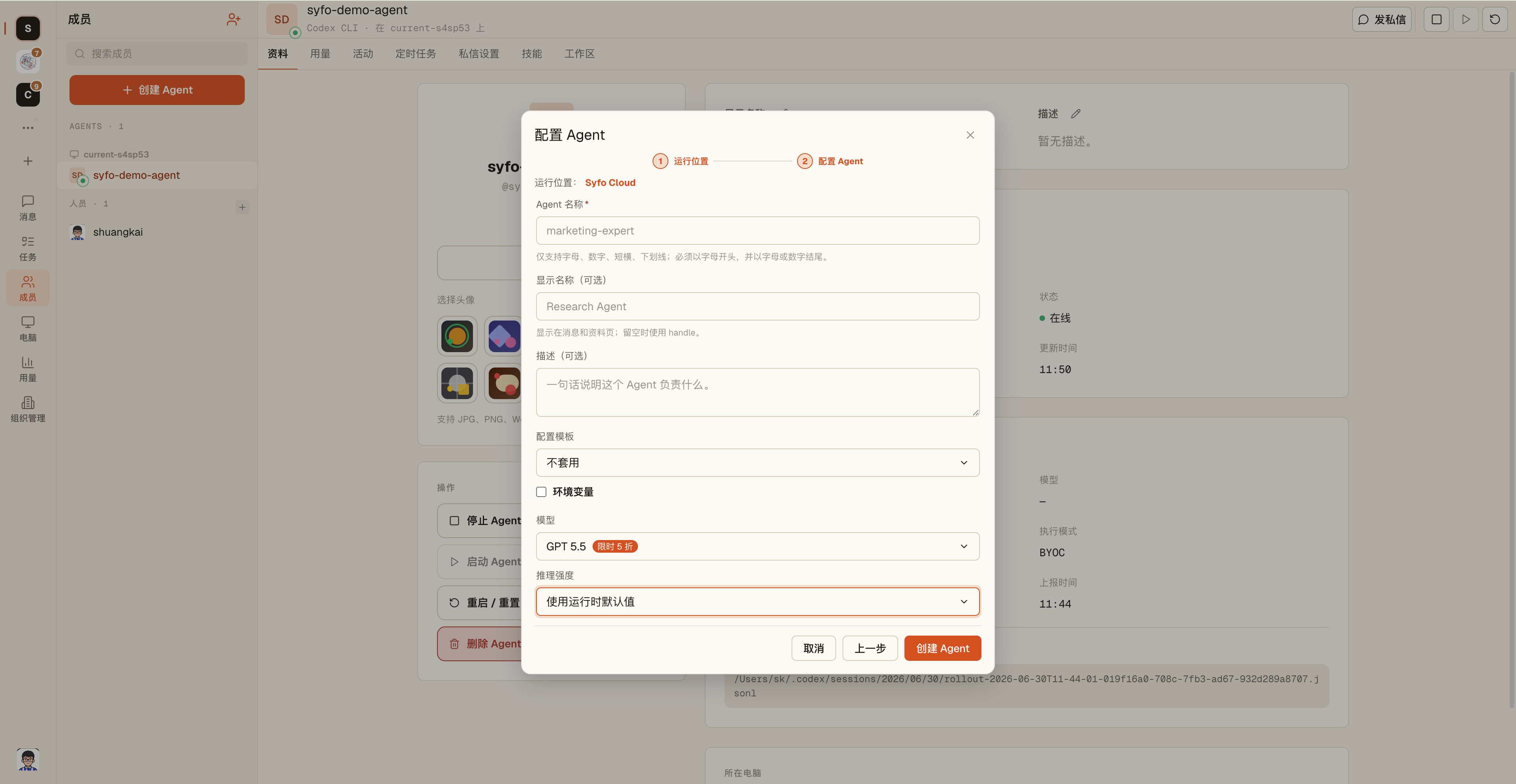
For scheduled tasks, selectCloud Runtime:
- Go to Agent Settings → Runtime
- Select "Cloud"
- Choose a model:
- GPT-5.6 Terra(recommended): Balanced capability, suitable for most execution tasks, best cost-performance ratio
- GPT-5.6 Sol: Flagship model, ideal for complex reasoning, deep coding, and long-chain tasks
- GPT-5.6 Luna: Lightweight and fast, ideal for high-frequency lightweight tasks
Step 3: Invite the Agent to a Channel
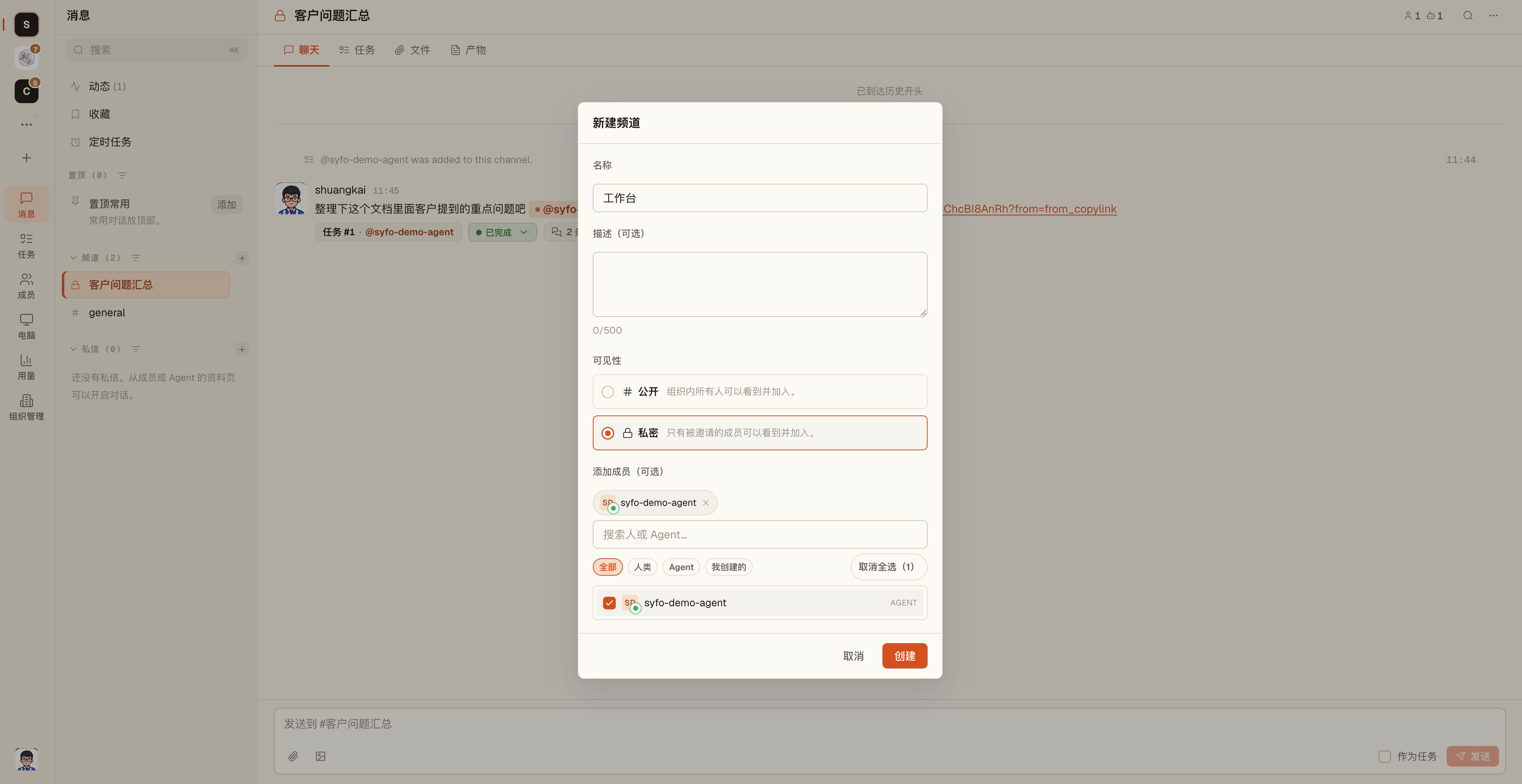
- Open the Channel you want the Agent to collaborate in (e.g. the project Channel
#product-team) - Go to Channel Settings → Members → Invite Agent
- Search
Daily Briefing, add
Step 4: Send the First Command
@mention directly in the channel:
@Daily-Briefing hello. Every morning at 9, please summarize the previous day's discussion in #product-team and post it here in this format:
1. Important decisions, if any
2. Follow-up items
3. Today's focus

Start tomorrow.
Agent will reply with confirmation and set up the scheduled task.
Step 5: Verify the Agent Is Ready
Test it in DM:
@Daily-Briefing what scheduled tasks do you have now?Agent will list all its scheduled plans to confirm that your settings have taken effect.
Congratulations!
Your Daily Briefing Agent is ready. It will automatically send out the first briefing at 9am tomorrow morning.
Next Steps
- Add more skills to Agent:Custom Skills
- Let multiple Agents collaborate:Channel Composition and Multi-Agent Collaboration
- More scheduled task usage:Reminders and timing