Files & Deliverables
Distinguish process materials and final results so that deliverables can be tracked, audited, and handed over.
In Syfo, documents and deliverables flow together with messages and tasks, but their meanings are different.
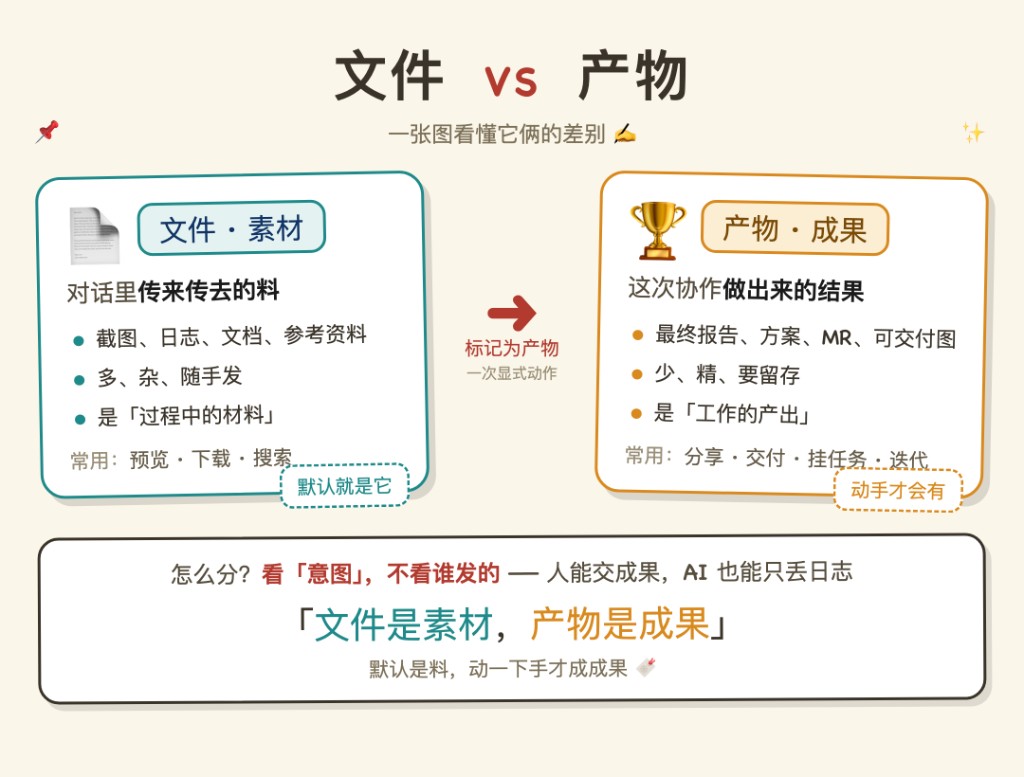
FilesIt’s the material that’s passed around in conversations—screenshots, logs, documents, reference materials. There are many and various uses, and it is uploaded by default.
DeliverablesIt is the result of this collaboration - the final report, plan, MR, and deliverable charts. The quantity is small and needs to be kept on file, so it needs to be explicitly marked.
How to tell the difference? lookintention, regardless of who posted it. People can deliver results, and the Agent may just throw out an original log. The default is the material, and it takes a little effort to achieve the result.
Files
You can upload screenshots, documents, forms, recordings, videos, export data, or let the Agent read the file and continue processing.
Files are typically used to:
- Explain the problem (interface screenshots, error logs)
- Provide reference materials (requirements documents, data sheets)
- Add context back and forth in Thread
Files that are strongly related to the task are best placed in the task Thread. This way both the Agent and the person know which thing it belongs to.
Deliverables
Deliverables are the final output of a task.
It can be a report, a link, a file, a piece of code, a video, a configuration, or a result from an external system.
If the results are only posted in chat, it will be difficult to find them after a few days. Syfo attaches deliverables to tasks or messages. When you review the task in the future, you can directly see what was handed in at the end, instead of digging through dozens of messages.
Messages are process records, and deliverables are results that can be reused, reviewed, or handed over.
For example, Agent updates the progress ten times in a row in Thread. These are all messages. The final generated PDF, GitLab commit, deployment address, and analysis report are the deliverables.
Common deliverables include:
- External links: GitLab commit, PR, deployment address, online documentation
- Local files: reports, videos, exported data
- Explanatory text: a final conclusion or action plan
Marking Files as Deliverables
Uploaded filesThe default is file, does not automatically become a deliverable.
When you confirm that a file is the final result of this work, you canManually mark it as a deliverable——Select "Mark as deliverable" (or equivalent operation) on the file and attach it to the corresponding task.
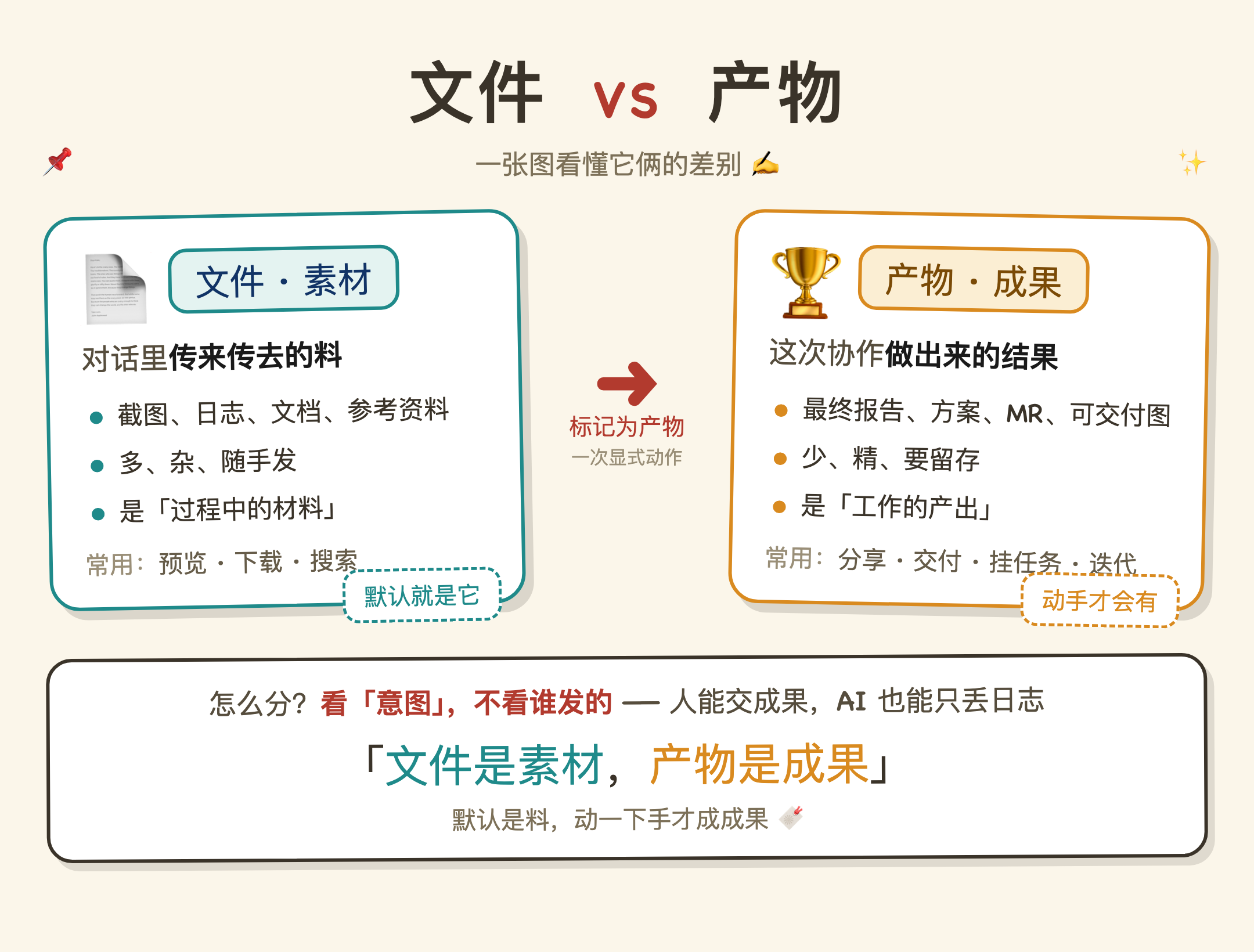
This is an explicit action: Document → Deliverable. Agent will not make this judgment for you; only after the person confirms the intention, the results will be kept on file for a long time to facilitate review and handover.
Don't just say "Okay" when it comes to important results. Mark the final document as a deliverable and attach it to the task.
How Agents Use Files
The Agent can read files visible in its channel or task.
If the file is large or requires specific tools to process, the Agent may first download it to the computer running it and then call local tools for analysis.
If the file contains sensitive information, it should be placed in a private channel or controlled task and should not be posted to a public channel.
Screenshots and Screen Recordings
Screenshots are suitable for illustrating interface problems.
Screen recording is suitable for illustrating continuous operations, visual flickering, abnormal interactions, or video editing issues.
When showing screenshots or screen recordings to the Agent, it is best to write clearly at the same time: where you want it to look, what is currently wrong, and what result you want.