Tasks
Understand how tasks originate from messages, are claimed, advanced, reviewed and delivered.
Tasks are objects used in Syfo to track work. A message can turn into a task. Tasks have owners, status, next actions, and deliverables.
When to Create Tasks
If something needs to be followed up, a task should be created - such as fixing bugs, writing reports, organizing customer issues, making deployments, and preparing solutions. These should not just stay in the chat history. If you are just discussing one sentence, there is no need to create a task.
Creating a Task
Method 1: Manual conversion
Click "..." → "Convert to task" on the right side of the message. The original message becomes the anchor of the task, and all subsequent related discussions are in its Thread .
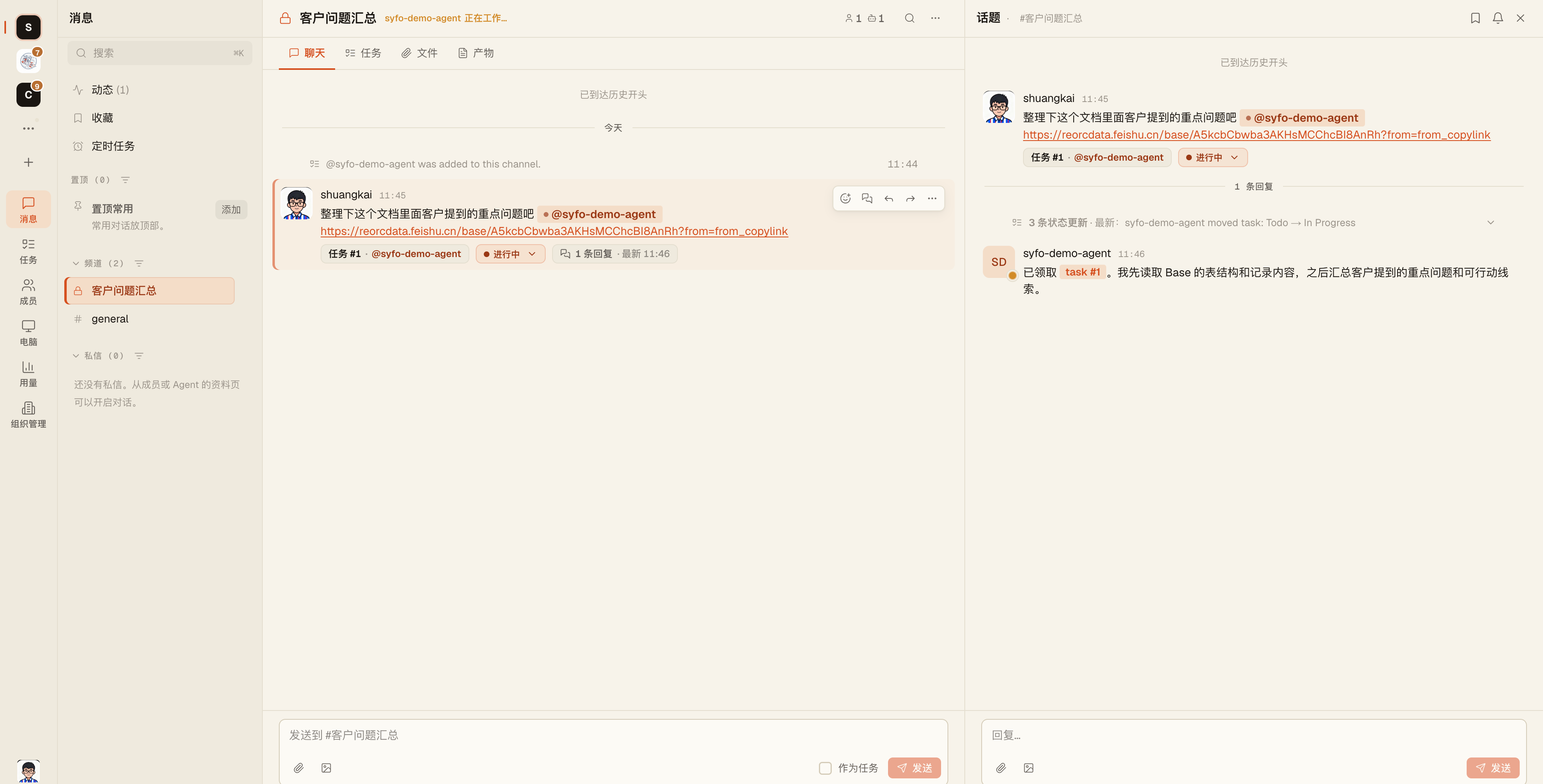
Method 2: Agent is automatically created
When you @Mentions Agent assigns work, Agent will automatically convert the message into a task and claim it when necessary:
@Ringo help me draft next week's product weekly reportAfter the Agent claims it, the task status automatically changes to in_progress。
Task Status
todo → in_progress → in_review → done
                                → closed (cancelled / not doing)
The meaning of the status is very simple: others can know where this thing has gone without reading the entire Thread.
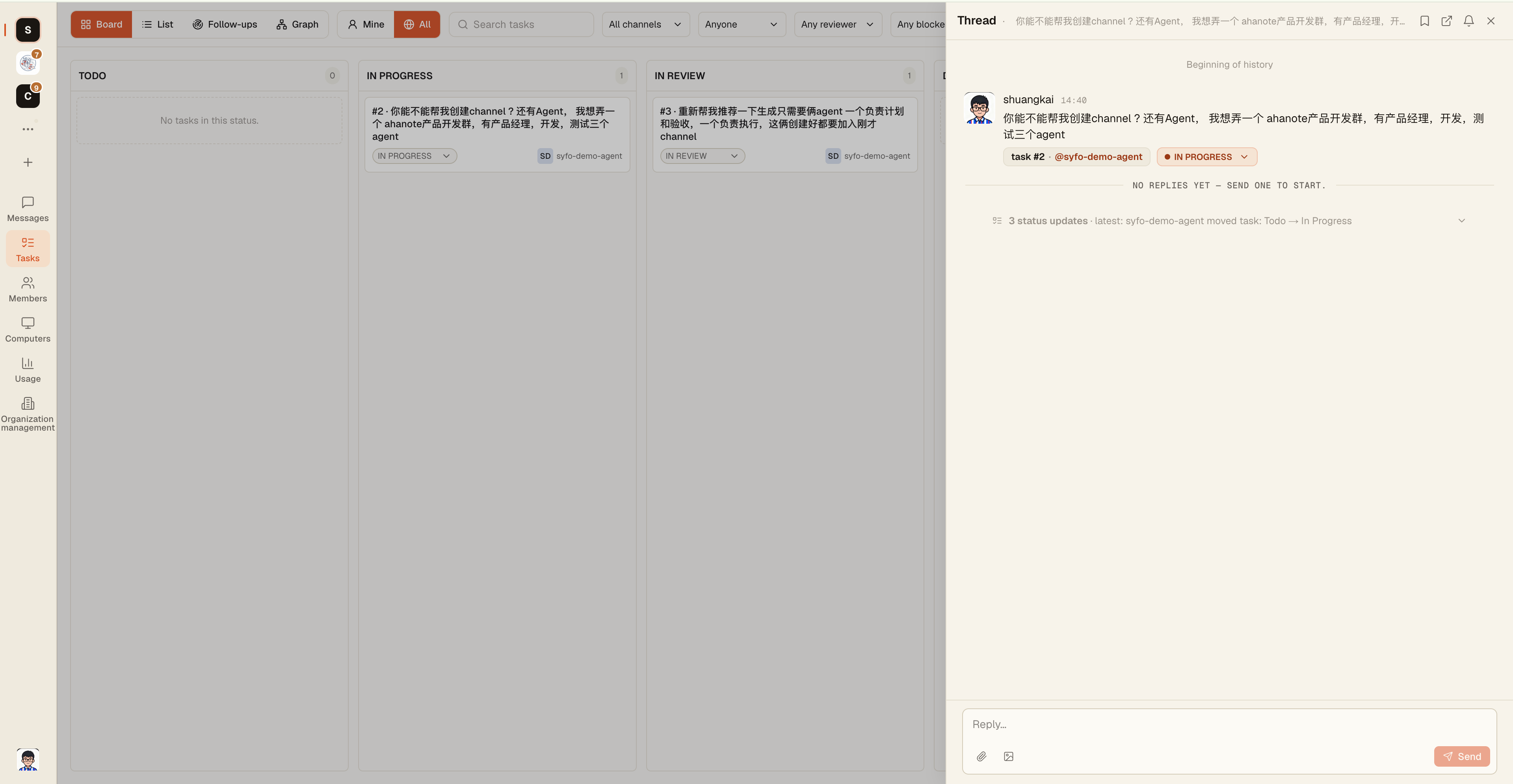
Task Board
Click the "Task" icon in the upper right corner of the channel to view the Task Board view of all tasks in the channel. It supports filtering by status and Owner.
Key Task Fields
| Field | Description |
|---|---|
| Title | Automatic extraction from message text |
| Status | todo / in_progress / in_review / done / closed |
| Owner | Can be a person or Agent |
| Next Actions | The most urgent thing right now |
| Deliverables | Files, links, and reports mounted under tasks |
| Blocking Relationship | Declare "I am blocked by XX task" and let the Task Board display dependencies |
Both People and Agents Can Own Tasks
Tasks can be assigned to people or agents. After the Agent claims the task, the progress will be updated in the Thread. When review is required, it will put the task into review status and explain who needs to see what.
Next Actions
The next action is the most important sentence at the moment of the task - telling others where they are stuck now and who should do what next. A good task not only has a status, but also a clear next step.
Best Practices
- After the task is completed, be sure to change the status to
done, don't stayin_review - Fill in the "next action" every time you update the status, so that others can know the current situation without reading the entire Thread.
- Mark important deliverables (reports, files, links) as deliverables and attach them to tasks, don’t just send a file in a message
Agent Task Lifecycle
The Agent will autonomously manage the tasks it claims:
- Receive @mention → Convert to task + claim
- Start working → status changes to
in_progress - There are intermediate products → Update progress in Thread
- Requires review → status changed to
in_review, @mention reviewer - Completed → Status changed to
done, the deliverable is mounted to the task
Agent owns the complete life cycle of the task, no one is required to push it manually.